
Meet the New Life Hypnosis App: Calm, Confidence and Better Sleep in Your Pocket
Listen to this post · 8 min, read by Wilhelmina
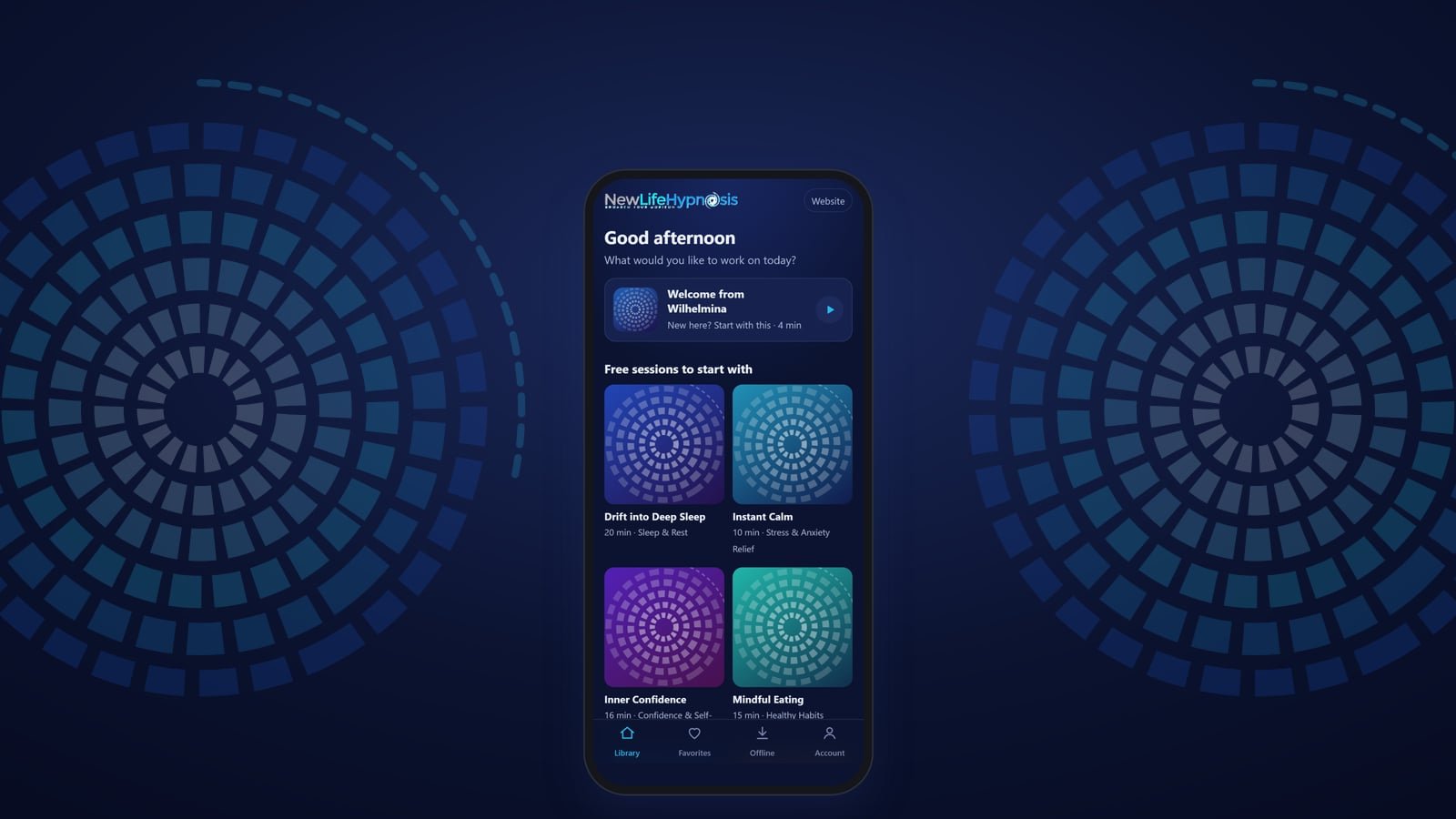
For years, the only way to work with me was to sit in my office in Guthrie or join me online for a session. That work is still at the heart of what I do. But so many people have asked me, "Is there something I can listen to at home, between sessions, or at three in the morning when I can't sleep?"
Now there is. The New Life Hypnosis App brings the hypnosis, meditations and affirmations I use with my clients to your phone, tablet or computer, recorded in my own voice.
What's inside
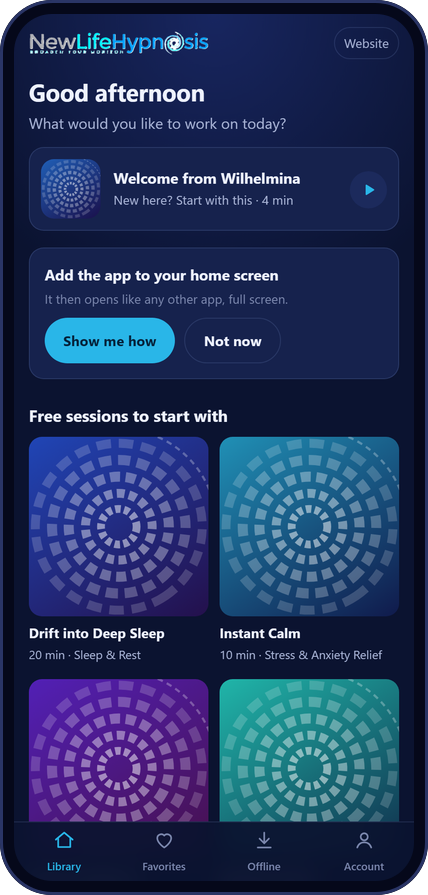
The App has three parts, so it's easy to find what you need today.
The Hypnosis & Meditation Library has six collections of guided sessions:
- Sleep & Rest: fall asleep easily and wake up refreshed.
- Stress & Anxiety Relief: calm your nervous system and let go of worry.
- Confidence & Self-Worth: believe in yourself and step into your power.
- Healthy Habits: change habits from the inside out, from mindful eating to letting go of what no longer serves you.
- Guided Meditations: return to stillness and inner peace, morning or evening.
- Nederlandse meditaties: meditations and hypnosis in Dutch, my native language.
Empowering Affirmations is a short track for every day of the month (more about it below).
The Personal Power Sessions are ten focused sessions for the moments that matter: handling rejection, an evening energy cleanse, sports performance, studying and exams, your workday, your inner voice, healing after narcissistic abuse, focus, living in the moment, and preparing to become smoke-free.
Every collection has at least one free session, so you can try it before you decide. If you're new, start with Welcome from Wilhelmina, a four-minute introduction to the App and how to get the most from your sessions.
How it can help you
People often tell me they know what they should do: sleep more, worry less, believe in themselves. Knowing isn't the hard part. The hard part is that our habits, fears and beliefs live deeper than our thinking mind. That is where hypnosis and meditation work.
In a relaxed, focused state, the busy, critical part of the mind steps aside a little, and the deeper part of you can take in new, positive suggestions. Listening regularly can help you:
- Fall asleep more easily and rest more deeply.
- Feel calmer and respond to stress with more patience.
- Build confidence and a kinder inner voice.
- Support healthy habits from the inside out.
- Start your day centered instead of rushed.
And because it's an App, it's there whenever you need it: on your lunch break, before a big meeting, or in bed at night. You can save your favorite sessions, and download them to listen offline, on a plane or anywhere without Wi-Fi.
30 days of Empowering Affirmations
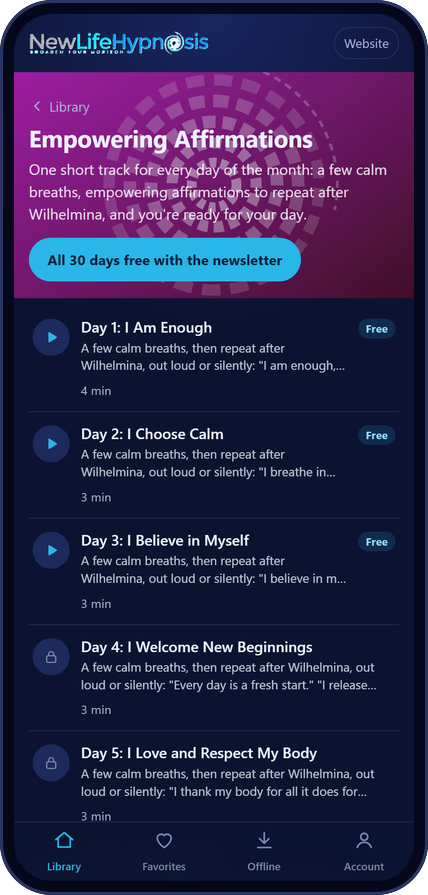
The words we say to ourselves shape how we feel. Empowering Affirmations gives your inner voice new words, one day at a time: 30 short tracks, one for every day of the month, each about three minutes.
Each track begins with a few calm breaths. Then I say each affirmation, and you repeat it after me, out loud or silently. Day 1 is I Am Enough. Day 2 is I Choose Calm. Day 30 is I Am the Creator of My Life.
The first three days are free for everyone. And when you join my monthly newsletter, Current Shifts and Opportunities, all 30 days are yours as a gift. Just tap All 30 days free with the newsletter in the App.
Add the App to your phone in under a minute
The App works right in your web browser, so there is nothing to download from an app store. Go to newlifehypnosis.com/app and add it to your home screen. It then opens like any other app, full screen, with its own icon.
On an iPhone or iPad
- Open newlifehypnosis.com/app in Safari.
- Tap the Share button (the square with an arrow pointing up).
- Scroll down and tap Add to Home Screen, then Add.
On an Android phone or tablet
- Open newlifehypnosis.com/app in Chrome.
- Tap the menu (the three dots, top right).
- Tap Install app or Add to Home screen.
On a computer
- Open newlifehypnosis.com/app in Chrome or Edge.
- Click the install icon at the right end of the address bar, or open the menu and choose Install (in Edge: Apps, then Install this site as an app).
- The App opens in its own window, and you'll find it with your other programs.
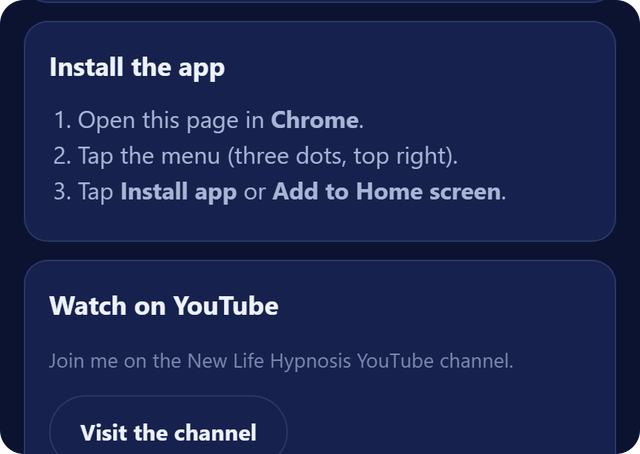
Forgot the steps? In the App, tap Account, then Install the app. It shows the steps for your device.
There's no password to remember. When you unlock a collection or join the newsletter, a personal access link is emailed to you. Open it on your phone and on your computer, and your sessions are with you on both.
A few tips from my practice: use headphones, find a spot where you won't be disturbed, and never listen while driving. Be patient with yourself, too. Turning inward gets easier and deeper each time you practice.
Join me on YouTube
I've also started a YouTube channel for the App: @NewLifeHypnosisApp. It's where I'll be sharing short relaxations, affirmations, tips for better sleep and calm, and a first look at new sessions as they arrive.
I would love for you to subscribe to the channel, and tap the bell so you don't miss a new video. It's the easiest way to stay in the loop, and to take a few calm minutes for yourself, whenever you need them.
See you there, and in the App.
Wilhelmina
The New Life Hypnosis App is for entertainment purposes only and is not a substitute for medical or psychological care. Please never listen while driving.